
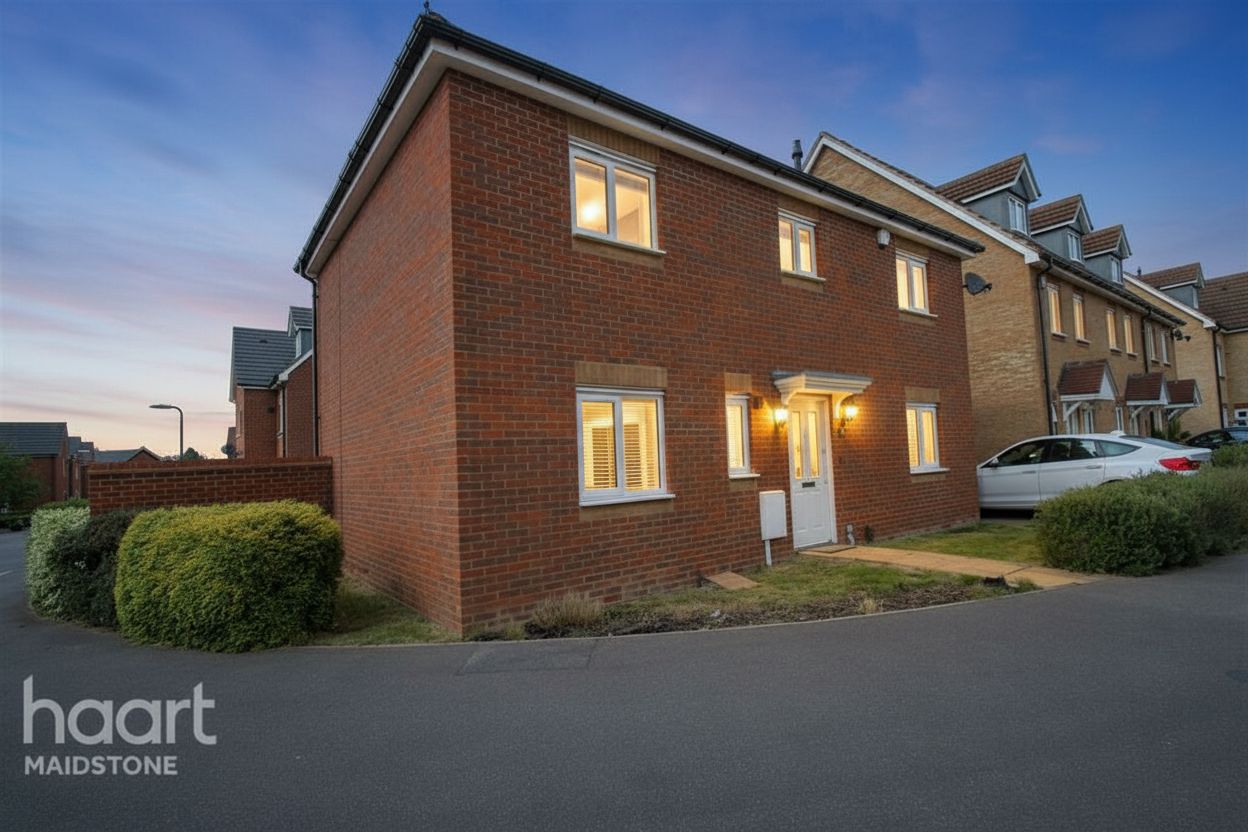
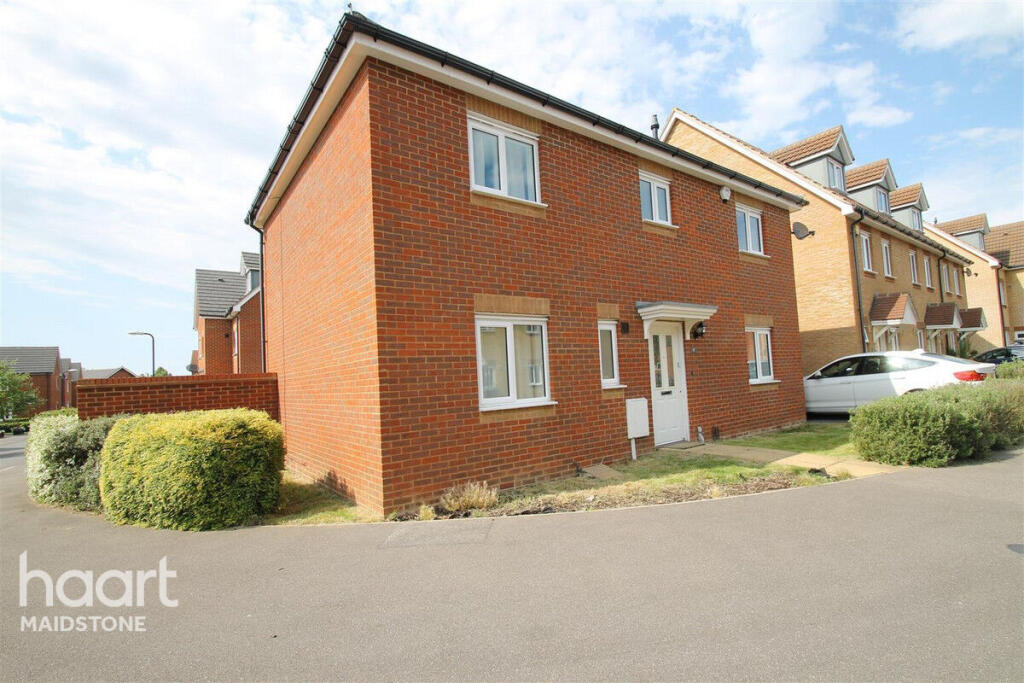
Twilight atmosphere
Replace daylight with a plausible dusk sky and ambient illumination.
Day-to-dusk photo editing
Convert a daylight property photo to a realistic dusk visualization with a twilight sky and warm illumination from existing lights and windows.
$1 · 3 days · 3 image credits · renews unless canceled
Twilight sky
Warm existing lights
Property features preserved
Lighting-edit disclosure
A lighting transformation
Adjust the visible sky, ambient light, shadows, and reflections. Keep the building, roofline, landscaping, and neighboring properties in place.
Replace daylight with a plausible dusk sky and ambient illumination.
Create warm light from existing windows and fixtures without adding new fixtures.
Compare against the original and request adjustments before downloading.
A three-step workflow
Step 1
Choose Day-to-dusk in the upload operation menu.
Step 2
Optionally request a subtle blue-hour or warmer twilight treatment.
Step 3
Inspect property details and export the result with disclosure of the lighting edit.
Questions before the click
No. The mode preserves physical features and uses existing windows and light fixtures.
Yes. Choose Day-to-dusk in batch upload.
No. It is a digitally altered lighting visualization; review it and disclose the edit when sharing.
Next step
Upload your photo and choose Day-to-dusk from the operation menu.
$1 · 3 days · 3 image credits · renews unless canceled