Virtual staging services
- Price
- $15–50 per image
- Turnaround
- 24–48 hours
- Changes
- Revision fees and email back-and-forth
Stage empty rooms online
Real render — drag to compare
AI processing
Upload a listing photo. Pick a style. Download an MLS-ready staged photo. Follow progress and review the result before publishing.
AI staging in about 30 secondsProcessing times vary by image.
$1 · 3 days · 3 credits · full access · cancel anytime
Generation and quality checks · MLS-compliant watermarking · Two free re-renders per image · Pro $60/mo · 30 images
Upload a vacant room and get a clean low-res staging result
Drop your listing photo here
or click to browse
JPG, PNG, HEIC, WebP or TIFF · large photos are compressed automatically
Software or service?
Some people search for virtual staging software. Others want a company to do it for them. The job is the same: a furnished photo buyers believe. Here are the three ways to get one, and why AI virtual home staging is the fastest.
Vacant listings
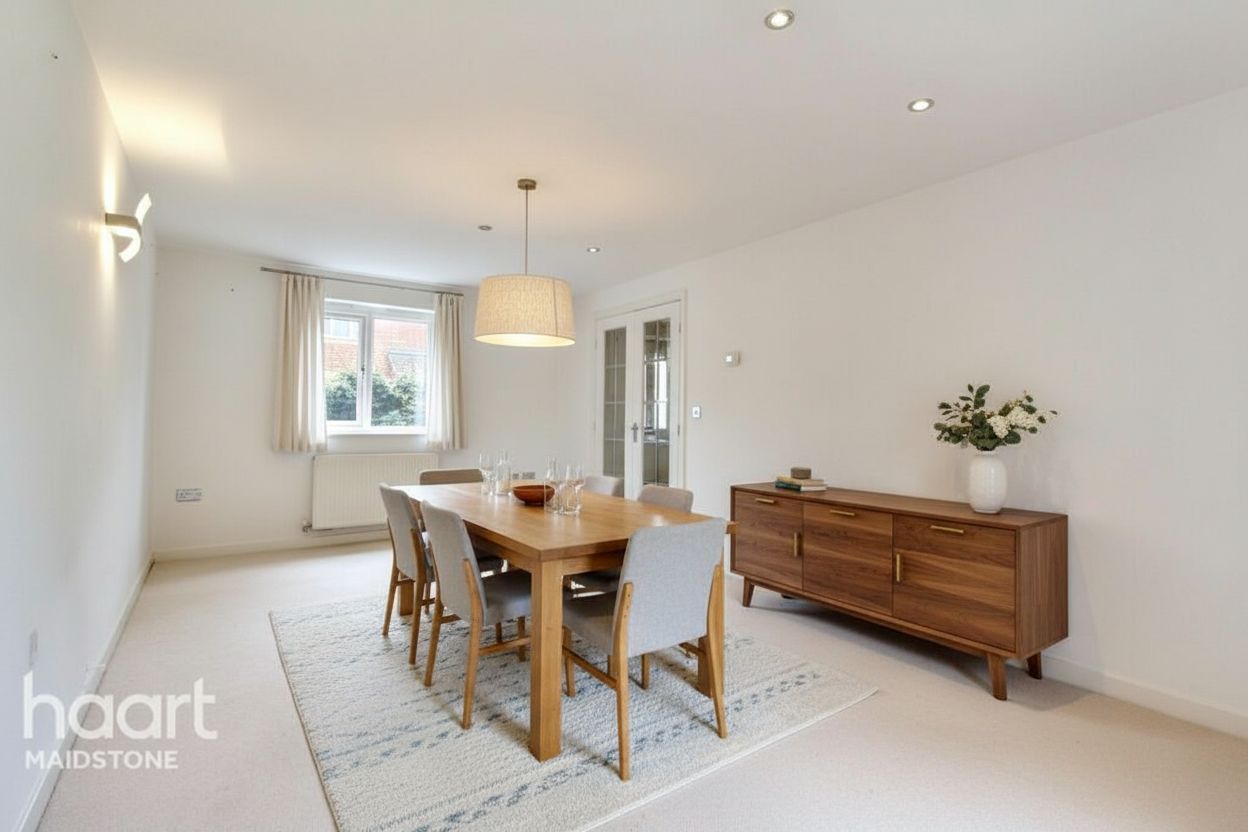
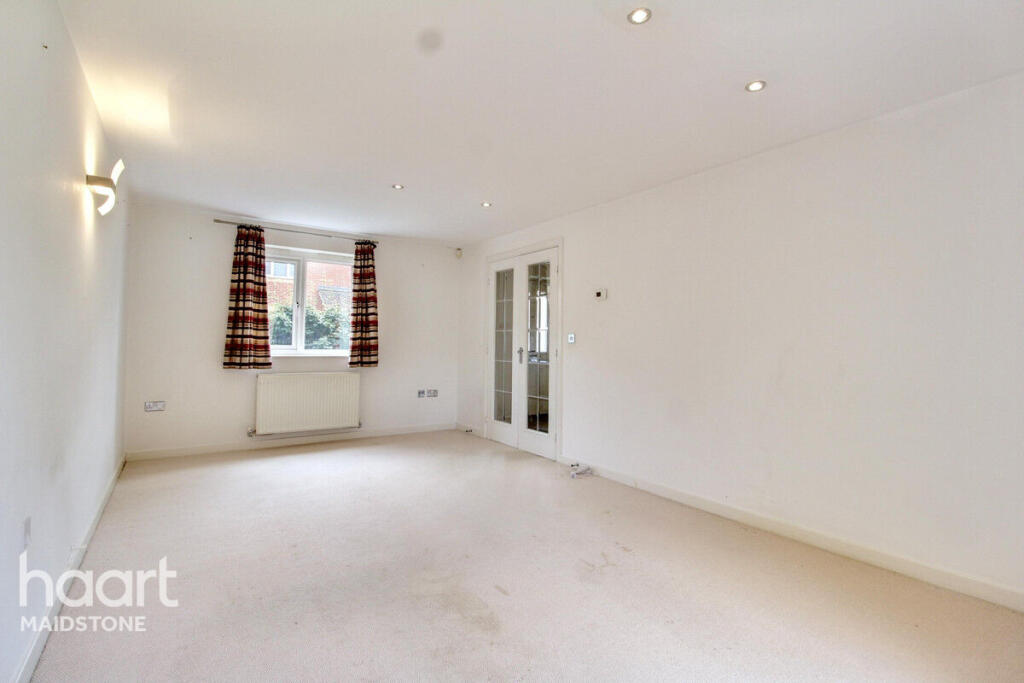
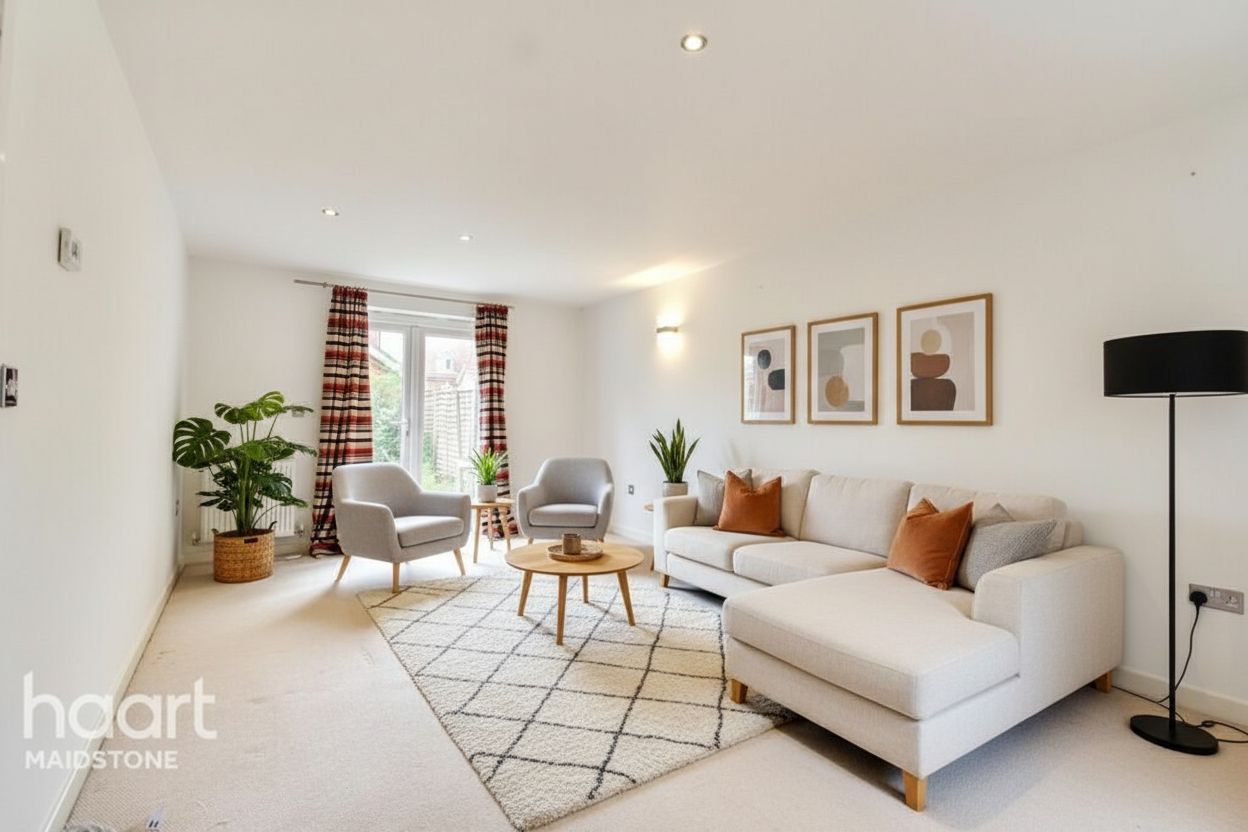
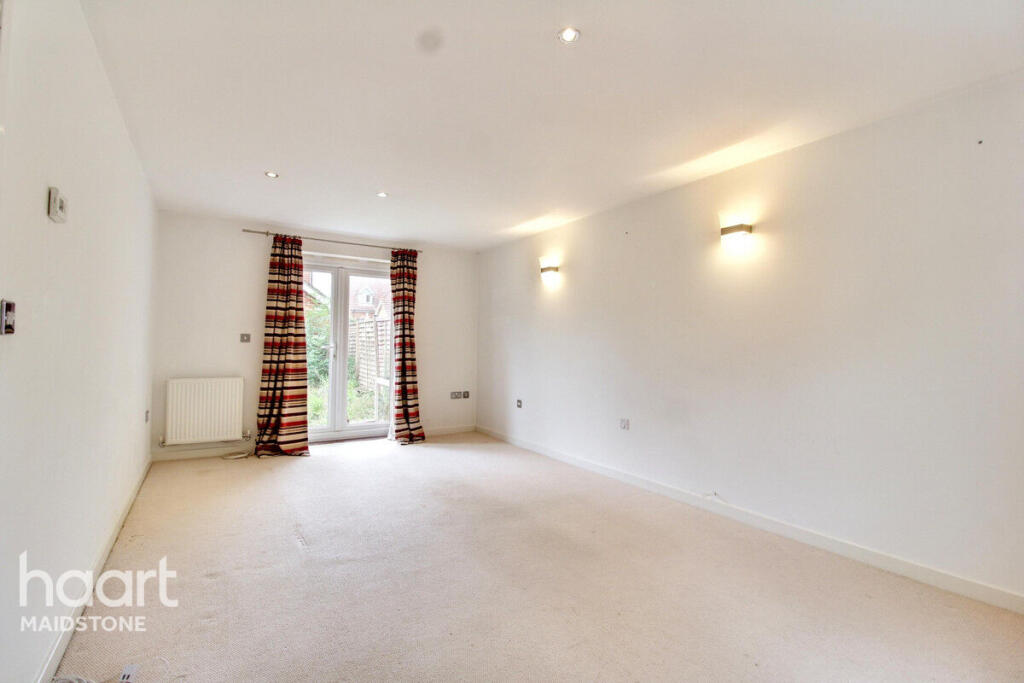
Empty rooms look smaller and colder than they are. Staged photos show buyers the space. They give buyers a reason to book the showing.
 Vacant
 Staged
 Vacant
 Staged
01
Drop in any listing photo. JPEG, PNG, HEIC, WebP or TIFF; large photos are compressed automatically.
02
Pick a buyer-ready look tuned for listing photography.
03
The staged, MLS-ready image is back.
Don't like a result? Re-run it free. Every plan includes two free re-runs or edits per image.
The full walkthrough
Four steps. No design skills. The first one is free to try above.
Use any listing photo of an empty or dated room.
Modern, Scandinavian, Coastal, and more. Each look is tuned for listings.
The AI fits furniture to the room’s real depth and light. Processing includes generation and quality checks.
You get an MLS-ready file with a disclosure watermark. The original comes with it.
Pricing
$1
$20/mo
$60/mo
Every plan is month to month. Full plan comparison, including Studio and API →
Questions, answered
Yes, with disclosure. Most MLS boards allow staged photos if you disclose them. Many require it. RoomStage adds a watermark by default. The original stays next to every render. Compliance is built in, not extra work. Read the MLS rules guide →
The AI fits furniture to the room’s real depth. It matches the light already in your photo. It never touches walls, windows, or floors. If a render is off, re-run it free: every image includes 2 free re-runs or edits.
Pro is $60/month for 30 images. That is about $2 per image. Starter is $20/month for 10 images. Extra images cost $0.15 on Pro and $0.25 on Starter. To try it first, the trial is $1. It runs 3 days and includes 3 staged images with full access.
The trial renews to the plan you picked, unless you cancel first. Cancel anytime in your account settings. No calls. No lock-in.
Yes. The Studio plan adds a shared workspace. Your team pools credits, sets roles, and sees usage in one place. Compare all plans →
Start the $1 trial. 3 days, 3 staged images, full access. Cancel anytime.
$1 · 3 days · 3 credits · full access · cancel anytime
$1 trial
3 days · 3 credits